


Area Calculator
Select the geometrical figure and enter the required parameters. The calculator will try to figure out its area.
Area Calculator:
This area calculator helps you find the area of a wide array of geometric shapes, including squares, rectangles, circles, trapezoids, and more. Each result displays the formula used, clear step-by-step calculations, and flexible unit options (cm, m, ft, in, etc.), making it an ideal choice for students, engineers, and professionals working with geometry. It is designed to provide fast and accurate results while giving you a clear understanding of how each area is calculated.
How to Use the Area Calculator?
Follow these steps:
Step 1: Select Shape
Choose the geometric shape from the drop-down menu for which you want to find the area.
Step 2: Enter Dimensions & Choose Units
Input the dimension of the selected shape (such as length, width, radius, or height) and choose the units for these input measurements (mm, cm, m, ft, in, etc.).
Step 3: Click Calculate
Click on the “Calculate” button to get the area. The calculator will also show the step-by-step calculation and the formula used.
Supported Shapes & Formulas:
- Square
- Rectangle
- Triangle
- Circle
- Semicircle
- Sector
- Ellipse
- Trapezoid
- Parallelogram
- Rhombus
- Ellipse
- Kite
- Regular Pentagon
- Regular Hexagon
- Annulus (Ring)
- Irregular Quadrilateral
- Regular Polygon
What Is The Area in Mathematics?
Area is the measurement of a space enclosed by a two-dimensional shape. It shows the actual size of the shape and indicates the surface it covers. For three-dimensional shapes, you can find area by using our surface area calculator.
Unit of Area:
In the International System of Units (SI), the area is expressed in square meters (m²). However, the other units are also used. For example:
- Small objects: square millimeters (mm²) or square centimeters (cm²)
- Rooms, furniture, or indoor spaces: square meters (m²) or square feet (ft²)
- Land plots, gardens, or large areas: square kilometers (km²)
For larger spaces like land plots, fields, or gardens, try ur plot area calculator and get the precise measurements of the area.
Why Understanding Units Matter?
Understanding the correct use of units is necessary:
- To define the scale of measurement correctly
- Avoid confusions
- To get the correct answer
- Maintain Consistency
How To Find Area?
Square:
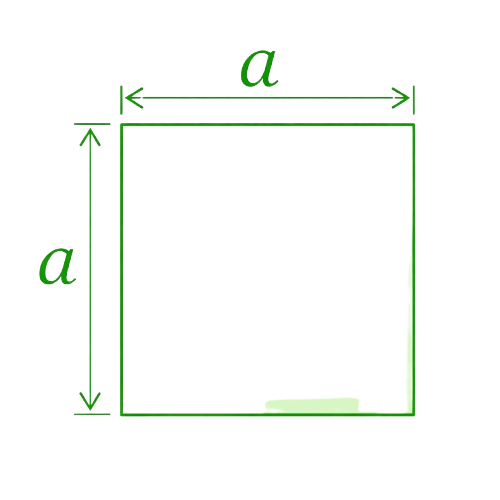
A square is a shape having equal measurements for its length and width. Begin by inserting the values in the square area formula:
Square Area = a × a = a²
where;
a = Length of the square side
Rectangle:
The area measurement for a rectangular stone can be done either by using our rectangle area calculator or by employing the equation:
Area of a Rectangle = length × width = a × b
Triangle:
The formula to calculate the area of a triangle varies based on different parameters used:
When Height and Base are Provided:
Triangle Area = b × h 2
Two Sides And their Mutual Angle are Given: SAS
Triangle Area = 0.5 × a × b × sin(γ)
When Three Sides of a Triangle are Given:
Area = √[s(s−a)(s−b)(s−c)]
If Two Angles and the Side Touching Them are Provided:
Triangle Area = a² × sin(β) × sin(γ) (2 × sin(β + γ))
Using these formulas, you can easily calculate the area of a triangle based on the information you have. If these formulas look difficult to remember, simply use our triangle area calculator. It supports all these formulas, allowing you to calculate the area of a triangle accurately and instantly.
Circle:
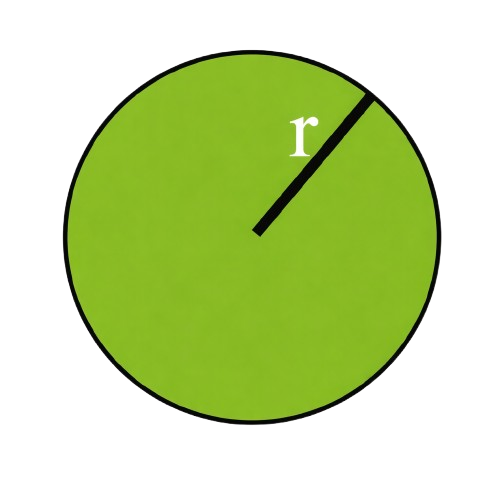
This is one of the most common and widely used figures in geometrical analysis. You can calculate the area of a circle by using the formula:
Circle Area = πr²
If you are working with a circular shape and want to analyze its area and properties, then our circle area calculator is the perfect tool for you.
Semicircle:

The formula to find the area of a semicircle is as follows:
Area of a Semicircle = πr² 2
Sector:
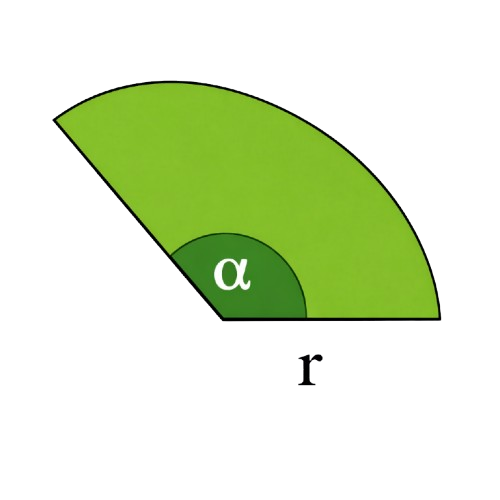
A sector is a measurement of a specific part of a circle. To calculate its area, use the following formula:
Area of a Sector = (1/2) × r² × θ
For accurate and instant results, try our area of a sector calculator. Just add the available values to get the sector area along with other key parameters of a circle’s sector.
Ellipse:
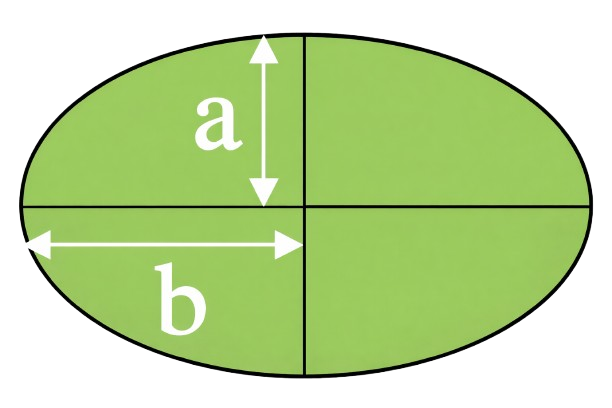
As we know, both circles and ellipses are identical shapes. When encountering area calculation for an ellipse, you must consider the length of the major and minor axis instead of the radius. This is given as:
Area of an Ellipse = π × a × b
Trapezoid:
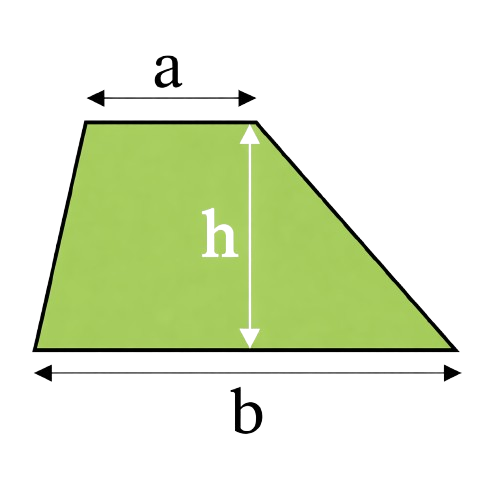
To find the area of a trapezoid, use the following equation:
Area of a Trapezoid = ((a + b)/2) × h
Where:
- a and b are the lengths of the two parallel sides
- h is the height of the trapezoid
For a quick result, try the trapezoid area calculator.
Parallelogram:
Depending on the information you have, there are three possible cases:
If height and Bass are provided:
Area of a Parallelogram = a × h
If the Two Sides and the Angle Between them are Provided:
Area of a Parallelogram = a × b × sin(θ)
If Diagonals and Mutual Angle are Given:
Area of a Parallelogram = 0.5 × p × q × sin(φ)
Where:
- a is the length of one side
- b represents the length of the adjacent side
- θ is the angle between sides a and b (in degrees or radians)
Rhombus:
Get going through the area formulas to find the area of the rhombus as follows:
If Side and Height are Given:
Area of a Rhombus = a × h
If Diagonals are Given:
Area of Rhombus = a × b 2
If One Side and Any Angle are given:
Area of a Rhombus = a² × sin(θ)
Kite:
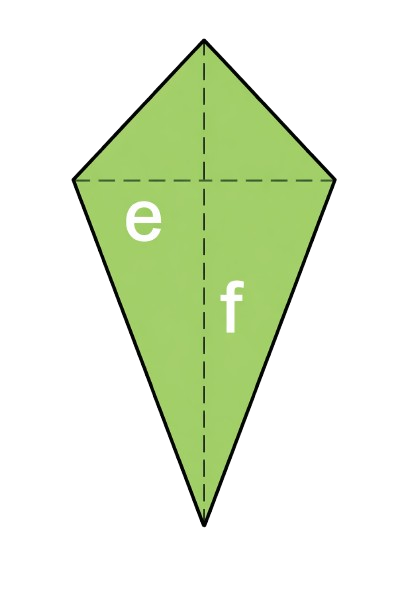
If Diagonals are Given:
Area of a Kite = a × b 2
If Two Sides and their Mutual Angle Is Given:
Area of a Kite = a × b × sin(θ)
Regular Pentagon:
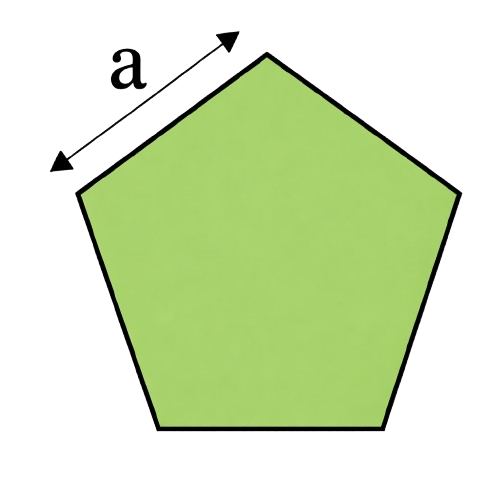
The following expression lets you calculate the area of any pentagon:
Area of a Pentagon = (1/4) × √(5(5 + 2√5)) × a²
- a represents the side length
Regular Hexagon:
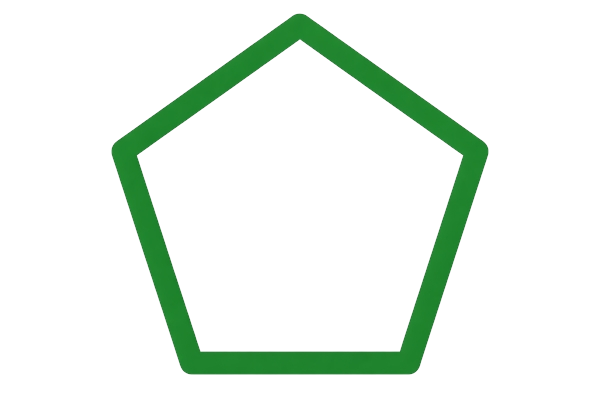
Use the following equation to calculate the area of a regular hexagon:
Area of a Hexagon = (3√3 / 2) × a²
where:
- a is the length of a hexagon side.
For more complex problems, like finding the area of the shaded region, you can use our area of shaded region calculator and get accurate results in seconds.
Annulus (Ring):
An annulus is a ring shape, and in this kind of figure, we have a couple of circles, one having radius “R” and the other having radius “r”. To calculate the area of a shape like an annulus, subtract the area of the smaller circle from the big one.
Area of an Annulus = πR² - πr²
Irregular Quadrilateral:
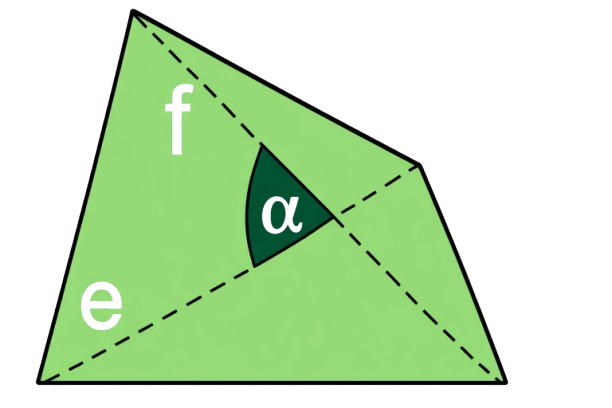
Like the area of a triangle, the area calculation for a quadrilateral can also be performed using the various formulas. Among these, the most effective and handy is given as follows:
Area of a Quadrilateral = a × b × sin(θ)
where:
- a and b represent any two sides of the quadrilateral
- θ is the angle made between them
Regular Polygon:
To calculate the area of a polygon, use this equation:
Area of a Regular Polygon = n × a² × cot(π/n) 4
To examine and calculate all particular parameters of a polygon accurately and flawlessly, try our polygon calculator.
FAQ’s:
Can I use this Calculator for Complex Shapes?
Yes, you can use it. Simply break the image into basic shapes, such as rectangles, triangles or trapezoids, etc, then find the area of each shape and sum the areas to get the final area of the complex shape.
What’s the difference between Area and Perimeter?
Area is the measure of the space covered by a two-dimensional shape and is measured in square units. In contrast, the perimeter is the measure of the boundary of that shape and is measured in linear units.
What Quadrilateral has the Largest Area?
- If all the quadrilaterals have the same perimeter, then a square has the largest area
- If all the quadrilaterals have the same side length, then a cyclic quadrilateral (one whose vertices lie on a circle) achieves the largest area
How do you find the Area of Irregular Figures?
Well, it’s pretty simple. First, divide the irregular figure into common shapes such as rectangles, squares, triangles or other shapes described in the content above. After you are done with this, calculate the areas of these geometrical shapes manually or using the irregular shape area calculator online. And once it is completed, simply add all tiny areas, and you will get the overall area of the shape.
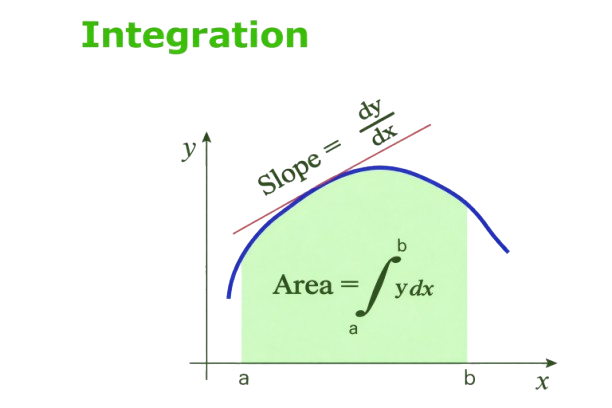
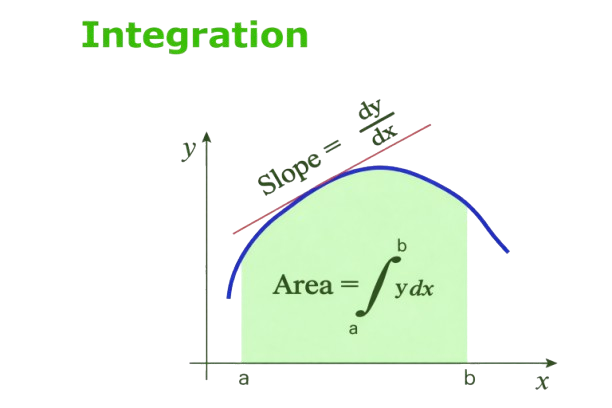
How do I calculate the area under a curve?
You can calculate the area under the curve by using integration. Performing the definite integral of the function between two points provides the exact area between the curve and the x-axis.
What is the Area of a Cube?
A cube has 6 identical square faces.
Below we have the formula that helps you calculate the area of the cube:
Area of a cube = (Length of side)² × 6
Conclusion:
This online area calculator is designed to help you calculate the area of different shapes, lands, or grounds accurately and instantly! With the added step-by-step calculation, support for multiple shapes and units, this calculator is enough for students learning geometry, engineers planning projects, and anyone just needing to calculate the area.
References:
- From the source of Wikipedia: Geometry, Axioms, Objects, Congruence and similarity, Contemporary geometry, Applications.
- From the source of Khan Academy: Unit squares, Measuring area with partial unit squares, Creating rectangles.
- From the source of Lumen Learning: Area of Irregular Figures, Surface Area of Rectangular Solids, A Bit of Geometry, Similar Triangles.
Related Tools