


Download Calculator
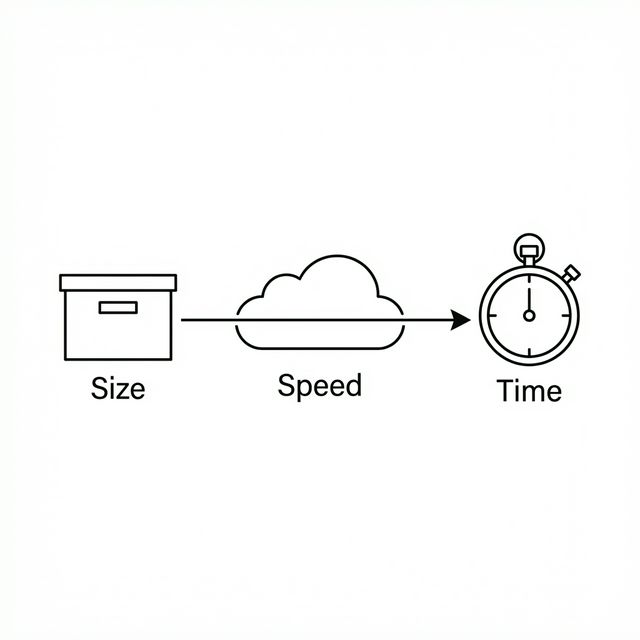
The tool will try to estimate the download speed, file size, and time required for downloading a file.
Use this free file download calculator to estimate the time it takes to download a file based on your internet speed. Different connections have varying speeds depending on bandwidth. Below, we also provide a detailed guide on download speed and its factors.
The Internet Speed:
“Usually, the tendency of internet connection to transfer a certain file is known as internet speed.”
Bandwidth:
It refers to the maximum data getting downloaded or uploaded per second.
How long will it take to download?
Well, it depends on the bandwidth of the internet connection. You'll need extra bandwidth to keep up if you have numerous devices and several family members on them at the same time. To obtain the greatest experience without a lot of buffering or latency, streaming, gaming, and other high capacity activities require a particular amount of internet speed. And the more bandwidth your internet provider can give, the faster you'll be able to accomplish your goals. You can also keep using the speed internet calculator to check the actual bandwidth of the internet connection. Keep scrolling to stay tuned and get more knowledge about the terms in brief detail.
File Size:
You must know the actual file size that you are either going to upload or download. The basic file sizes that affect the time and speed of the file to get transferred are as follows:
Bits:
Computers or any other such devices understand binary information in the form of bits. If you want to understand the binary layout of numbers, you can also use another binary calculator. Coming to the point of discussion, bits usually refer to either 0’s or 1’s. Certain input is assigned a set of bits so that the information could be transferred easily and in instant. This actual download speed calculator mbps is what actually designed for. So start using this free download calculator to estimate download times for your files in bits.
Nibble:
A nibble consists of 4 bits. In other words, when four bits are combined together, they form a nibble.
Byte:
A byte is a group of either eight bits or two nibbles. Casually, a computer uses 1 byte of data against each word or letter. And when there is a big file, image, video, or any other huge data to be transferred or downloaded with the computer aid, you can use prefixes to represent the actual data size. For instant and accurate calculations, you can also make use of this download estimator to estimate download times. How does it sound? Really great? Yes, it is!
Byte Conversion Charts:
The table below represents all possible byte conversions to greater units by considering the use of the prefixes. Let’s go through it!
| Byte Conversion Chart (SI Prefixes) | |
| 8 bits | 1 byte (B) |
| 1000 bytes | 1 kilobyte (KB) |
| 1000 kilobytes | 1 megabyte (MB) |
| 1000 megabytes | 1 gigabyte (GB) |
| 1000 gigabytes | 1 terabyte (TB) |
| 1000 terabytes | 1 petabyte (PB) |
| 1000 petabytes | 1 exabyte (EB) |
| 1000 exabytes | 1 zettabyte (ZB) |
| 1000 zettabytes | 1 yottabyte (YB) |
Look at the above table. The measurement conversions mentioned in it follow the International system of unit conversion. While when it comes to computer measurements, the concept of a binary system is accountable. According to this system, one single kilobyte would actually be equal to \(2^{10}\)bytes of data. In simple words, it makes almost 1024 bytes equivalent to 1KB. Keeping in view these prefixes, we have another table that highlights the prefixes that are used to represent higher data file sizes.
| Byte Conversion Chart (Binary Prefixes) | |
| 8 bits | 1 byte (B) |
| 1024 bytes | 1 kibibyte (KiB) |
| 1024 kibibytes | 1 mebibyte (MiB) |
| 1024 mebibytes | 1 gibibyte (GiB) |
| 1024 gibibytes | 1 tebibyte (TiB) |
| 1024 tebibytes | 1 pebibyte (PiB) |
| 1024 pebibytes | 1 exbibyte (EiB) |
| 1024 exbibytes | 1 zebibyte (ZiB) |
| 1024 zebibytes | 1 yobibyte (YiB) |
These various mentioned sizes are transmitted at various speeds and take time accordingly. This can be justified by subjecting our free download calculator.
Download Time:
You can estimate download times using a calculator or by the formula below:
By rearranging the formula, you can also calculate:
Example #1:
Reshaeel has a router with a download speed of 78 Mbps and wants to download a file of size 2.9 Mb. How long will it take?
Solution:
So, the file will download in approximately 0.037 seconds.
How Download Calculator Works?
Let’s learn how to estimate time, speed, and file sizes with the assistance of this free internet speed calculator.
Input:
- From the top drop-down list, select whether you wish to estimate “Download Time”, “Internet Speed”, or “File Size”
- After you are done with this, it's time to enter the required parameters in designated fields
- Also, select the units from the list next to each parameter field
- At last, hit the calculate button to estimate download time
Output:
The free calculator gives you the following estimations:
- Download time for various internet connections
- Download speed
- Size of the file
FAQ’s:
What is a good download speed?
On average, the download speed should be at least 100 Mbps. For uploading, the minimum speed should not exceed 10 Mbps. For accurate estimations, you can use a download calculator.
How fast should my Wi-Fi be?
According to international standards:
- For 2 devices connected: minimum 12 Mbps.
- For 4 devices connected: minimum 25 Mbps.
What is the average speed of a router?
The speed depends on router model:
- 802.11g router: ~8 Mbps download
- 802.11n router: ~25 Mbps download
How long will it take to download the Call of Duty Warzone update (57GB)?
Using the formula:
- At 100 Mbps: $$\text{Time} = \frac{57 \times 8}{0.1} \approx 4560\ \text{seconds} \approx 1.2\ \text{hours}$$
- At 22 Mbps: $$\text{Time} = \frac{57 \times 8}{0.022} \approx 20727\ \text{seconds} \approx 5.78\ \text{hours}$$
- At 2 Mbps: $$\text{Time} = \frac{57 \times 8}{0.002} \approx 205200\ \text{seconds} \approx 63.3\ \text{hours}$$
How long to download a 30GB file?
- 2 Mbps: $$\frac{30 \times 8}{0.002} \approx 120,000\ \text{seconds} \approx 33.3\ \text{hours}$$
- 20 Mbps: $$\frac{30 \times 8}{0.02} \approx 12,000\ \text{seconds} \approx 3.33\ \text{hours}$$
- Faster speeds reduce time proportionally.
Is internet faster wired or wireless?
Ethernet (wired) is generally faster and more stable than Wi-Fi because there is no signal distortion.
What is the difference between a modem and a router?
A modem connects your home network to the internet. A router distributes internet to multiple devices via Wi-Fi. Using multiple routers may reduce speed, which can be estimated with a download speed calculator.
What's the fastest Wi-Fi?
Google Fiber offers up to 2000 Mbps download speed, currently one of the fastest available in the USA.
What determines internet speed?
Various factors are out there that affect the download speed of the internet. Among these include:
- Advanced transfer technology
- Location of the user
- Number of people you share the hotspot connection with
- Mostly, the device under your use also affects the speed of the internet
Which speed is more important upload or download?
When it comes to examining an internet connection’s reliability, download speed is far more considered than upload speed. This is because most of the internet users are dependent on the download except upload.
Is higher or lower download speed better?
No doubt, the higher the speed of downloading data from the internet, the more better the internet connection is considered.
Conclusion:
By using the free download time calculator, you could actually determine the speed of different routers or modems. It will no doubt allow you to make a selection for a best modem to ensure the fastest speed of the internet.
References:
From the source of Wikipedia: Internet access, Availability, Network congestion, Technologies, Dial-up technologies, Hybrid Access Networks
Related Tools